


TV Garden - Live World TV
4.32.00 Reviews
App Specs
- Version
- 1.0.1
- Updated On
- License
- Free
- Downloads
- 50,000+
- Developer
- Channel 9 Devs
- Categories
- Events
- Platform
- Android
Screenshots

 Analysis by AppCompare
If you’re opening a live-TV app for the first time, it helps to know what kind of experience you’re looking for. TV Garden - Live World TV is aimed at people who want to browse streams from different parts of the world, rather than follow a single subscription’s fixed lineup. I’d approach it as a way to explore and sample television, not as a guaranteed replacement for the channels or services you already rely on.
What to expect when you open it
TV Garden is a free events-category app from Channel 9 Devs, with an Everyone age rating. It has a 4.3 average from around 275 ratings and over 50,000 installs. Those figures suggest that plenty of people have tried it, but I’d still judge it by whether the streams you want are available and work well on your own device and connection.
The key idea is that the app plays TV streams from around the world. That makes it most appealing when you’re curious about programming beyond your usual local channels: a news broadcast in another language, a regional music program, or simply a quick look at what television feels like elsewhere. It is less suited to someone who expects every familiar station, a particular paid channel, or a complete on-demand library.
A low-pressure route to a first successful watch
When you first launch it, keep the goal modest: find one stream that interests you and see whether it plays reliably. Browse by whatever categories or channel options the app presents, and use search if you already have a specific station in mind. If you’re exploring without a target, choose a country or subject that genuinely interests you rather than trying to inspect everything at once.
For a first test, use a stable internet connection and give a stream a moment to start before deciding it has failed. Live video depends on both the source stream and your connection, so one slow start does not necessarily tell you how every channel will perform. If playback stalls, try another stream and return to the first later; that simple comparison helps separate a one-off source problem from a broader connection issue.
A useful first-session routine is to identify a couple of channels you might actually revisit. If the app lets you save favorites, use that rather than relying on memory or repeating a broad search every time. This makes the next visit more purposeful and helps you tell whether the app fits your habits after the novelty of browsing has worn off.
Where the experience needs a little patience
International live TV is not the same as a curated collection of polished programs. Some streams may be unfamiliar, in a language you don’t understand, or simply not showing something compelling when you tune in. That is part of the trade-off: discovery is the attraction, but it can take a few tries to find a channel that suits your mood.
Worth Reading Before You Choose

EA SPORTS FC Mobile 26 Is a Bigger Football Game, but It Takes Time

Flipboard Shows What News Apps Must Do Beyond the Feed

Switching to Android Auto Means Rethinking Your Driving Routine

Google Calendar Makes a Crowded Week Easier to Manage

Ludo King Makes the Most of the Minutes Between Plans

Baby Panda World Brings Quick Play to Modern Phones, but Its Game Library Feels Busy
It’s also worth separating the app from the stream it plays. A picture that pauses or looks soft may reflect the stream or your network rather than the player alone. If you need dependable playback for an important broadcast, test the exact channel in advance and keep a familiar alternative handy. For casual browsing, occasional trial and error is much less of a problem.
The app is running version 1.0.1 and supports devices with Android 7.0 or later. I’d keep expectations practical: a version number and minimum OS tell you whether a device can run it, but they don’t guarantee that every stream will behave identically across phones, tablets, networks, or regions. If your device is older, a short test before settling in is sensible.
Who will get the most out of it
I can see this working well for curious viewers, people with ties to another country, language learners who want authentic broadcasts, and anyone who enjoys dipping into unfamiliar programming. It can also make a shared evening more interesting: pick a place neither person knows much about, sample a channel, and use what’s on screen as a conversation starter. You don’t need to turn every session into a research project; a few minutes of spontaneous viewing is enough to make the global angle worthwhile.
On an ordinary evening, for example, you might have ten minutes before dinner and want something different from your usual feed. Open the app, search for a country you’re interested in, and try a live channel. If the first choice is not engaging, switch rather than spending the whole break troubleshooting. Save a stream only if you can imagine returning to it. That small, repeatable routine is a better test of usefulness than browsing dozens of channels in one sitting.
By contrast, I’d skip it if you mainly want a reliable schedule of specific shows, recordings to watch later, or a carefully organized catalog of on-demand films. A dedicated broadcaster app or a subscription service is usually the better fit for those jobs. A conventional live-TV provider may also be preferable when you need known local channels and predictable coverage. TV Garden’s appeal is breadth and curiosity, not the certainty of a particular program being available.
How it differs from familiar TV options
Compared with a standard broadcaster app, the draw here is looking beyond one network’s own programming. Compared with a paid live-TV package, the free price removes a subscription decision, but it should not be treated as a promise of the same channel rights, support, or consistency. And unlike an on-demand service, a live stream asks you to join whatever is being broadcast at that moment; you may need to wait for a program or choose another channel instead of pressing play on a specific title.
That difference changes how I’d use it. Think of it as a browsing companion for moments when you’re open to surprise, while keeping your usual service for planned viewing. If you’re trying to follow a major event, first confirm that the channel you need is available and plays properly. If you just want to explore, the freedom to hop between unfamiliar streams is the point.
Explore a World of Channels
One of the standout features of TV Garden - Live World TV is its vast selection of channels. We're not just talking about your usual local stations. This app offers a rich variety of international channels that will make any globetrotter's heart skip a beat. Whether you're into European dramas, Asian news, or African music, there’s something for everyone.
What I love about this app is how it brings the world to your fingertips. You can easily switch from a French cooking show to a Japanese game show without missing a beat. It’s like having a passport to global television, all without leaving your couch.
User-Friendly Interface
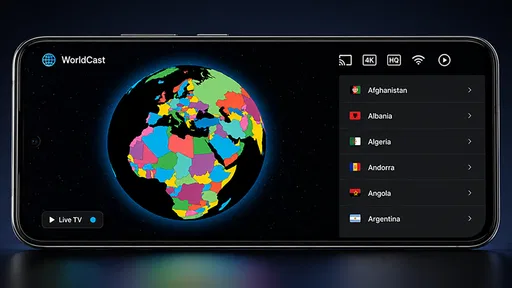
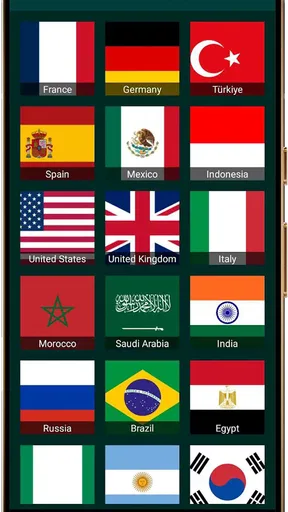
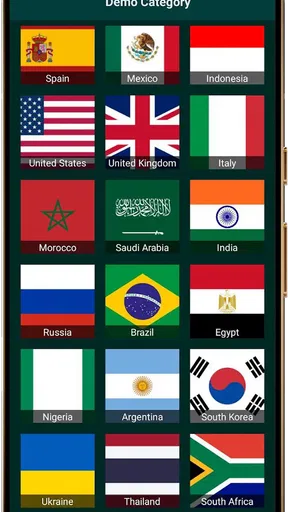
Now, let’s talk about the interface. Some apps can be a nightmare to navigate, but not this one. TV Garden keeps it simple and intuitive. The design is clean, and the navigation is a breeze. Categories are clearly laid out, so you can quickly find what you’re in the mood for. I appreciate how it doesn’t bombard you with unnecessary features or ads, making the viewing experience smooth and enjoyable.
If you’re worried about getting lost in the variety, don’t be. The app includes a handy search function, ensuring you can find your favorite channels or discover new ones with ease. It's a nice touch that makes the app accessible even for those less tech-savvy.
Streaming Quality and Performance
Alright, let’s get to what really matters — the streaming quality. I was pleasantly surprised by how well the app performs. The streams are crystal clear, and I didn’t experience any buffering issues, even during peak hours. It seems like the developers really prioritized providing a seamless viewing experience.
Of course, the quality can depend on your internet connection, but under normal circumstances, this app shines. Whether you’re watching the latest sports match or catching up on the news, you can count on TV Garden - Live World TV to deliver.
Personalization and Favorites
One of my favorite features has to be the personalization options. You can create a list of your favorite channels, so they’re always just a tap away. This is perfect for those of us who have a handful of go-to channels we switch between.
The app also makes recommendations based on your viewing history, which is a nice touch. It’s like having a personal assistant who knows exactly what you’d like to watch next. It’s not just about watching TV; it’s about experiencing TV tailored just for you.
Conclusion: A Must-Have for TV Lovers
In conclusion, TV Garden - Live World TV is a fantastic app for anyone looking to expand their television horizons. With its vast selection of channels, user-friendly interface, and stellar streaming quality, it’s a game-changer for live TV streaming. Whether you’re a fan of international content or just looking for a reliable app to watch live TV, this one ticks all the boxes.
I’d recommend giving it a try, especially if you’re tired of the same old channels and want to explore what the world has to offer. You might just find your next favorite show halfway around the globe!
Pros
- Wide variety of international channels.
- User-friendly and intuitive interface.
- High-quality video streaming available.
- Customizable channel list for quick access.
- Regular updates with new content.
Cons
- Contains in-app advertisements.
- Requires stable internet for smooth streaming.
- Limited offline viewing options.
- Some channels may experience buffering.
- Occasional app crashes on older devices.
FAQs for TV Garden - Live World TV
What is TV Garden - Live World TV and how does it work?
TV Garden - Live World TV is a streaming app that offers access to live television channels from around the world. Users can stream various genres such as news, sports, entertainment, and more. The app provides a user-friendly interface where you can browse and select channels easily, ensuring a seamless viewing experience.
Is TV Garden - Live World TV free to use, or are there any subscription fees?
TV Garden - Live World TV offers a mix of free and premium content. While many channels are available for free, some may require a subscription fee for access. Users should check the app for specific pricing details and available packages to make an informed decision.
Can I watch TV Garden - Live World TV on multiple devices?
Yes, TV Garden - Live World TV supports multiple devices. You can install and stream content on Android and iOS devices, ensuring flexibility and convenience. However, some premium content might have restrictions on the number of devices you can use simultaneously, so it's best to check the app's terms.
Does TV Garden - Live World TV offer content in different languages?
TV Garden - Live World TV provides channels in various languages, catering to a diverse audience. Users can select channels based on their preferred language, making it accessible for non-English speakers. The app's language settings can be adjusted to enhance the viewing experience.
Are there any parental controls available on TV Garden - Live World TV?
Yes, TV Garden - Live World TV includes parental controls to help manage what content is accessible to children. Parents can set restrictions based on content ratings or specific channels, ensuring a safe viewing environment. It's advisable to explore these settings upon installation to configure them according to your needs.


